
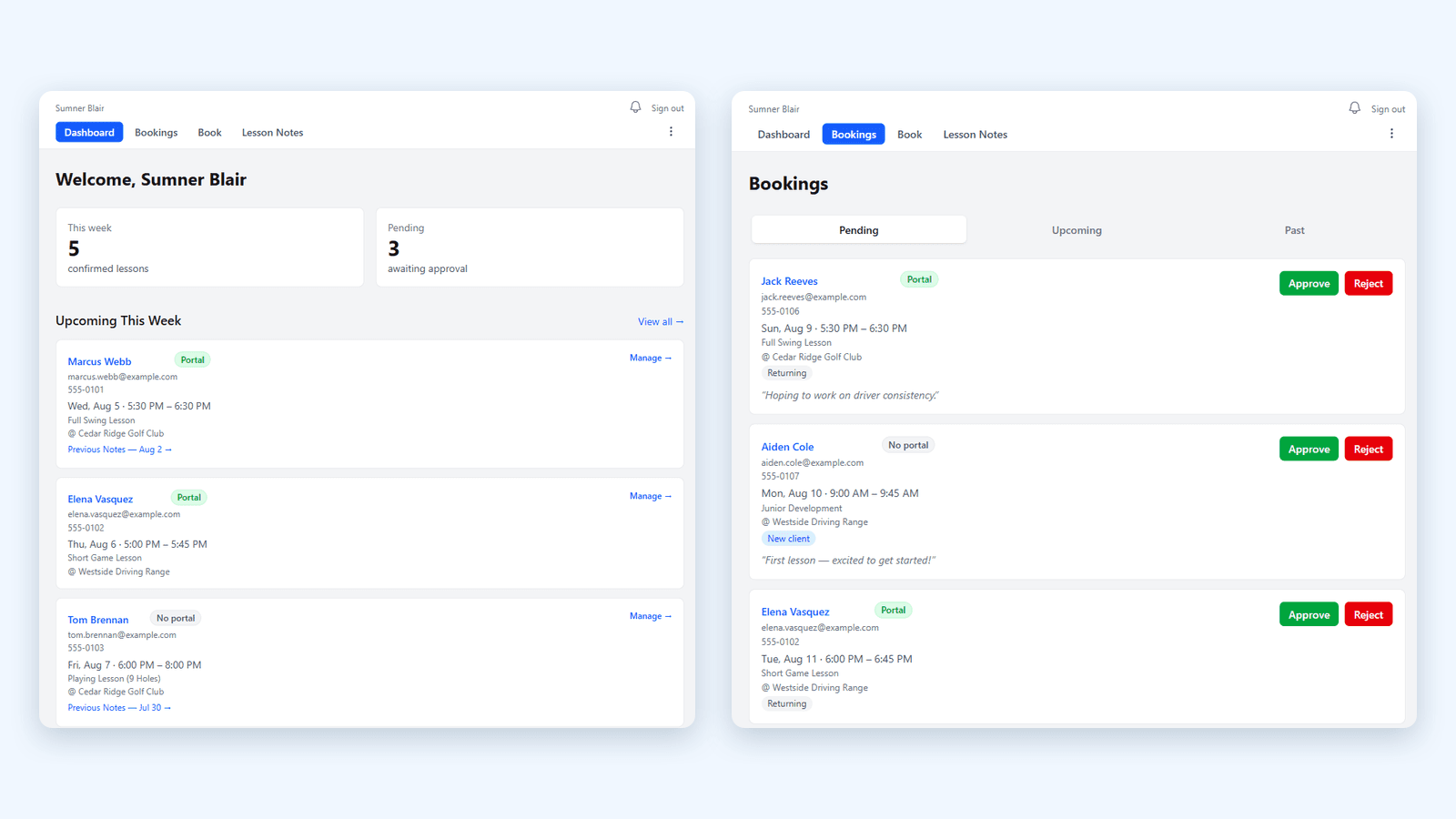
intelliLesson helps instructors run their instruction business from one app.
Smart lesson notes, real-time booking, video review, and the analytics to grow your roster — all in one white-labeled app for instructors who teach skills.
When an instructor connects Google, intelliLesson uses Google Calendar to synchronize lesson bookings and prevent scheduling conflicts, and Gmail Send to send booking confirmations, reminders, and lesson notes from the instructor's own address.
Built for
Smart Lesson Notes
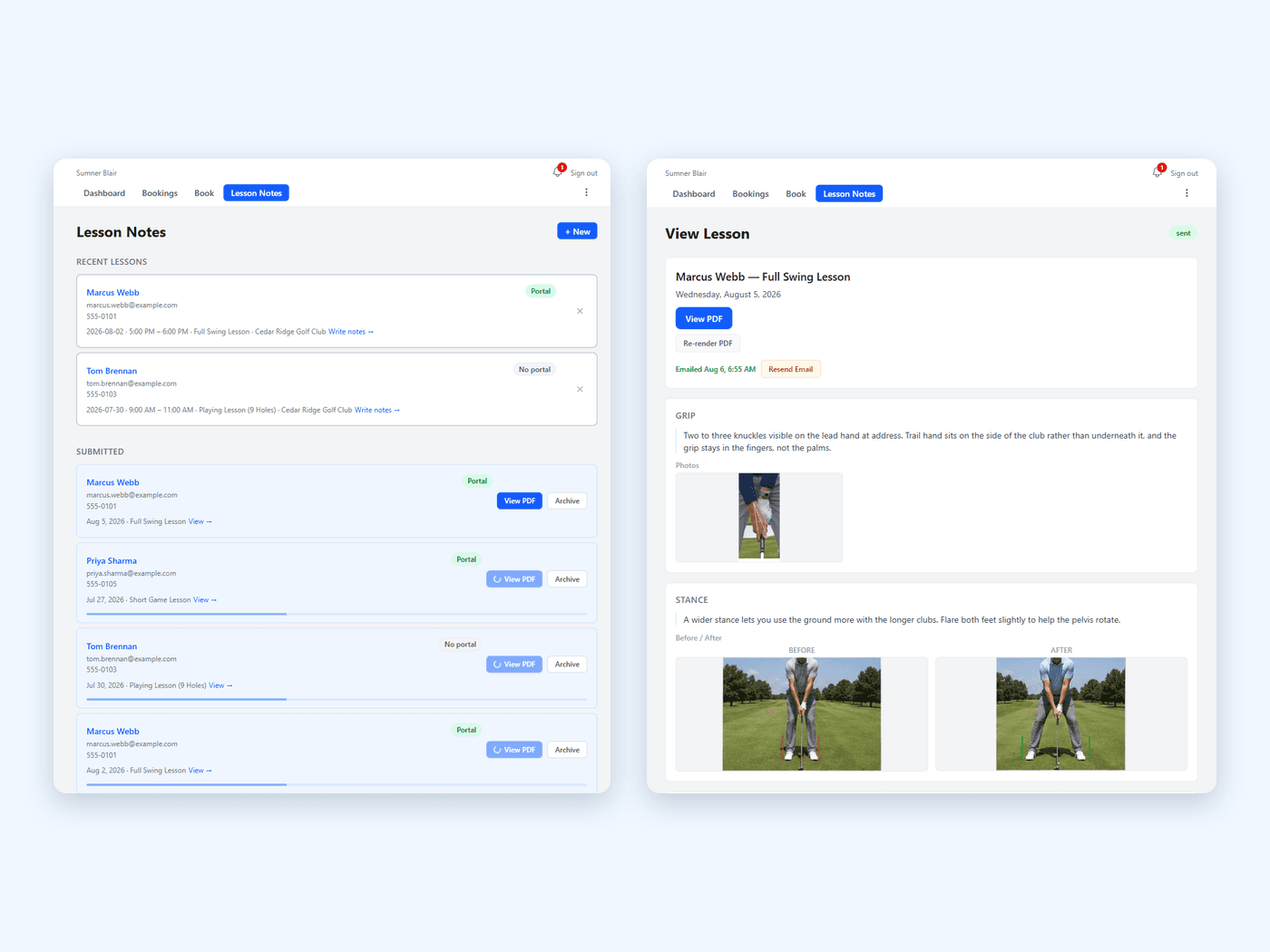
Lesson notes that are convenient and readily accessible.
A structured note system that captures the essentials of every lesson — and gives every client their own private dashboard to review what you taught, what to practice, and how they're progressing.
Templates you shape around the lesson
Build your own focus areas, save any lesson as a reusable template, and back it up with photos, before-and-after comparisons, or video.
Notes that build on your past lessons
Every note you write is saved to your own phrase library — start typing in any section and your past wording comes back, ranked by what you use most. The more you teach, the faster your notes get.
Personal client dashboards
Each client logs in to their own view of their lesson history. They can come back, they can remember what to work on, they can show up ready.
Attach the reports you already generate
K-Motion, launch monitor exports, anything that produces a PDF — attach it to the lesson and give it its own focus area, so the whole session lives in one note.
Booking & Scheduling
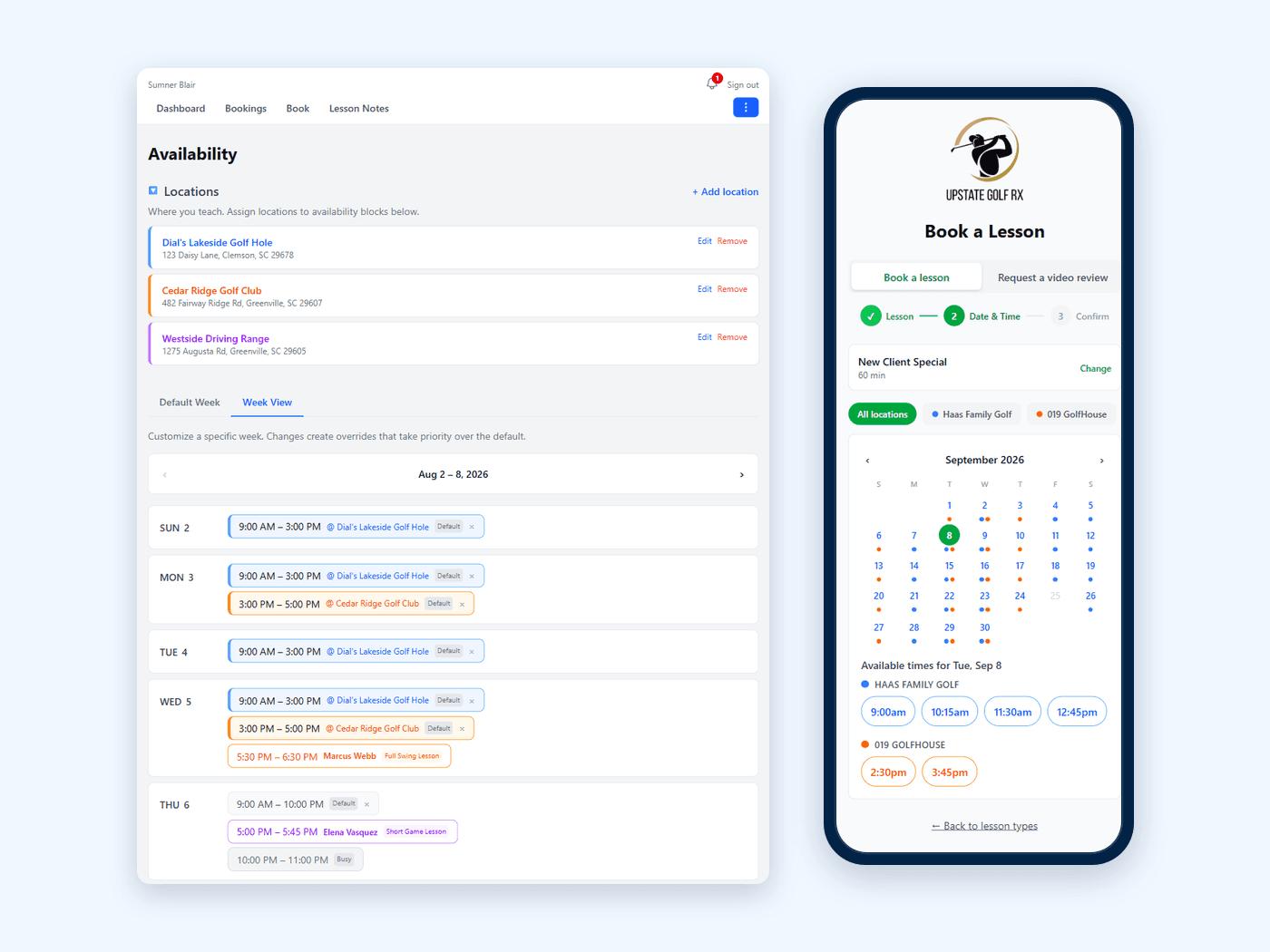
A booking system that gives you and your clients more control.
Multi-location availability, two-way calendar sync, and a mobile-first booking flow your clients will love — under your branding, not ours.
Multi-location, multi-template availability
Set different schedules for the range, the indoor studio, and the off-site session. Save them as templates and reuse them.
Two-way Google Calendar sync
Personal events block your slots automatically. Confirmed bookings land on your work calendar — and your client's.
White-label your branding
Your logo, your colors, your name on the dashboard and in the emails. Clients see your brand, not ours.
Video Review
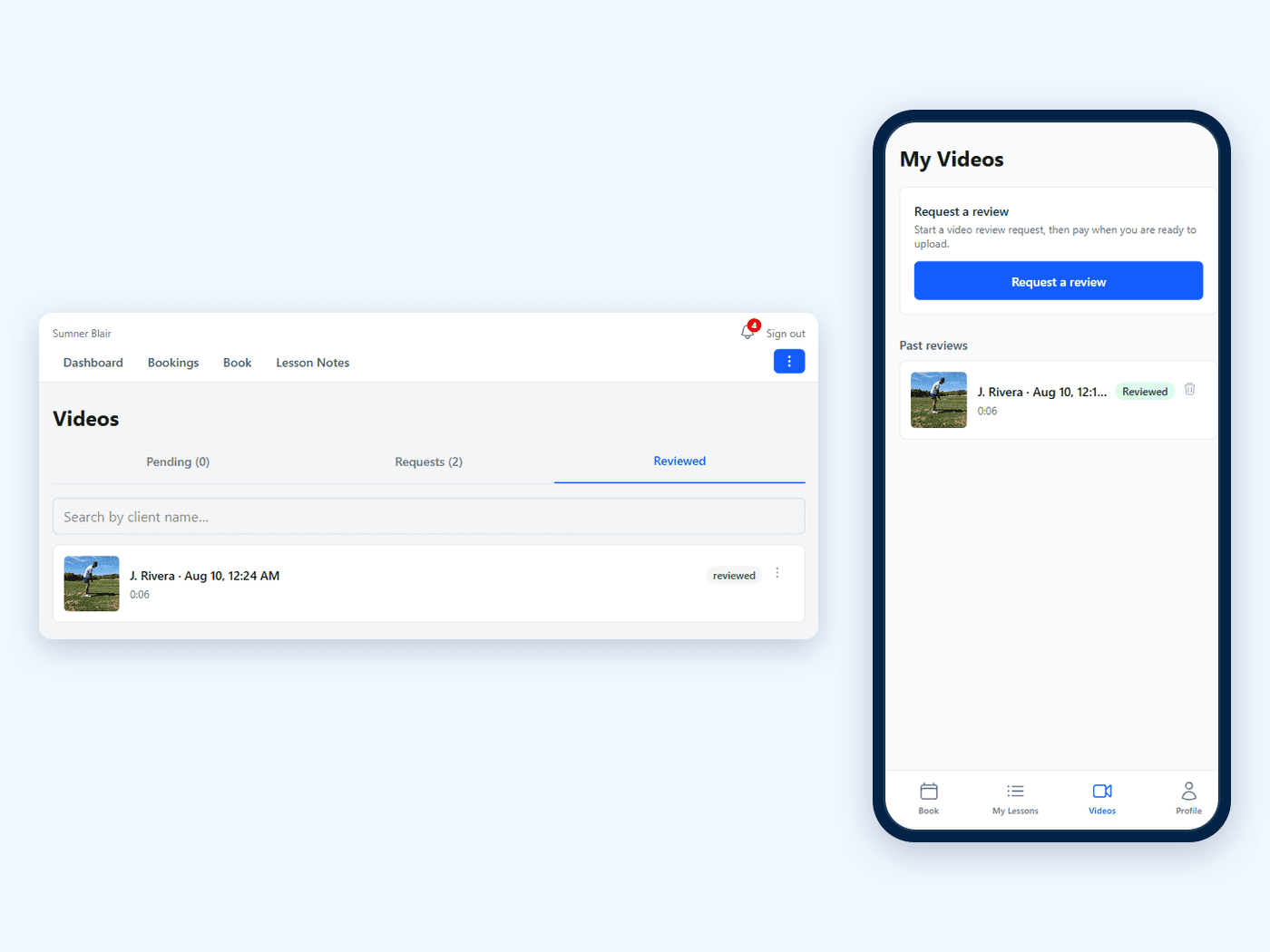
Review their swing without leaving the app.
Clients upload a few minutes of practice from their portal. It lands in your review queue, you write it up with all of your same Lesson Note tools, and they get a notification — all in the same place as their lessons and bookings.
One-tap upload from the client portal
No file-sharing links, no cloud folders, no buried email attachments. Practice video lives next to lesson notes.
Review with notes, send with notifications
Watch, write your feedback, mark it reviewed. The client gets a push notification the moment it's ready.
Built to grow
Telestration, slow-motion, and side-by-side comparison are on the roadmap — same upload, same workflow, more tools.
Grow Your Business
The back office at your fingertips.
Capture the right info up front, see what's actually working, and encourage lapsed clients to resume their lessons and skills.
Customizable intake
First-time clients fill out experience, goals, and history right inside the booking flow. You start the lesson knowing them.
Booking analytics
See lessons and hours by week, which days and hours actually fill, new vs. returning clients, and how each lesson type converts — filter by location, compare against last year.
Re-engagement reminders
The app flags clients who haven't booked in a while — you set the window — and one tap sends a nudge that already has their last lesson's focus areas and drills in it.
One app instead of five or six disconnected tools.
Many instructors run their business across a notebook, personal calendars, text messages, a spreadsheet, and cloud folders. intelliLesson replaces the stack.
The duct-tape stack
- Notes in a notebook (or memory)
- A separate app for booking
- Texts and messaging apps for follow-up
- Cloud folders for swing videos
- Spreadsheets for client data
With intelliLesson
- Smart notes, every lesson
- Booking + calendar sync built-in
- Reminders & re-engagement tools
- Video review in the same app
- Analytics on retention
What you get back
- Time back from admin
- Clients who know what to work on
- Fewer surprises in your schedule
- Reasons for clients to come back
- Room to grow
Teach your next lesson with intelliLesson.
We're onboarding instructors now. Tell us about your teaching and we'll get you set up.
Get in touchhello@intellilesson.com